
What’s New in MusicBox for iOS, iPadOS, and macOS 27
This release brings new ways to collect, organize, and rediscover music. Users can create Smart Searches by describing what they want, browse up to 20 albums or songs in customizable Home Screen widgets, and scan physical albums to add them to their library.

Foundation Models
Finding the right music in a growing collection can involve several filters and settings. With Describe a Smart Search, users simply explain what they’d like to find in their own words, and MusicBox turns that description into a Smart Search. It makes the flexibility of advanced filtering more approachable, helping users organize their collection and rediscover saved music without configuring every attribute by hand.
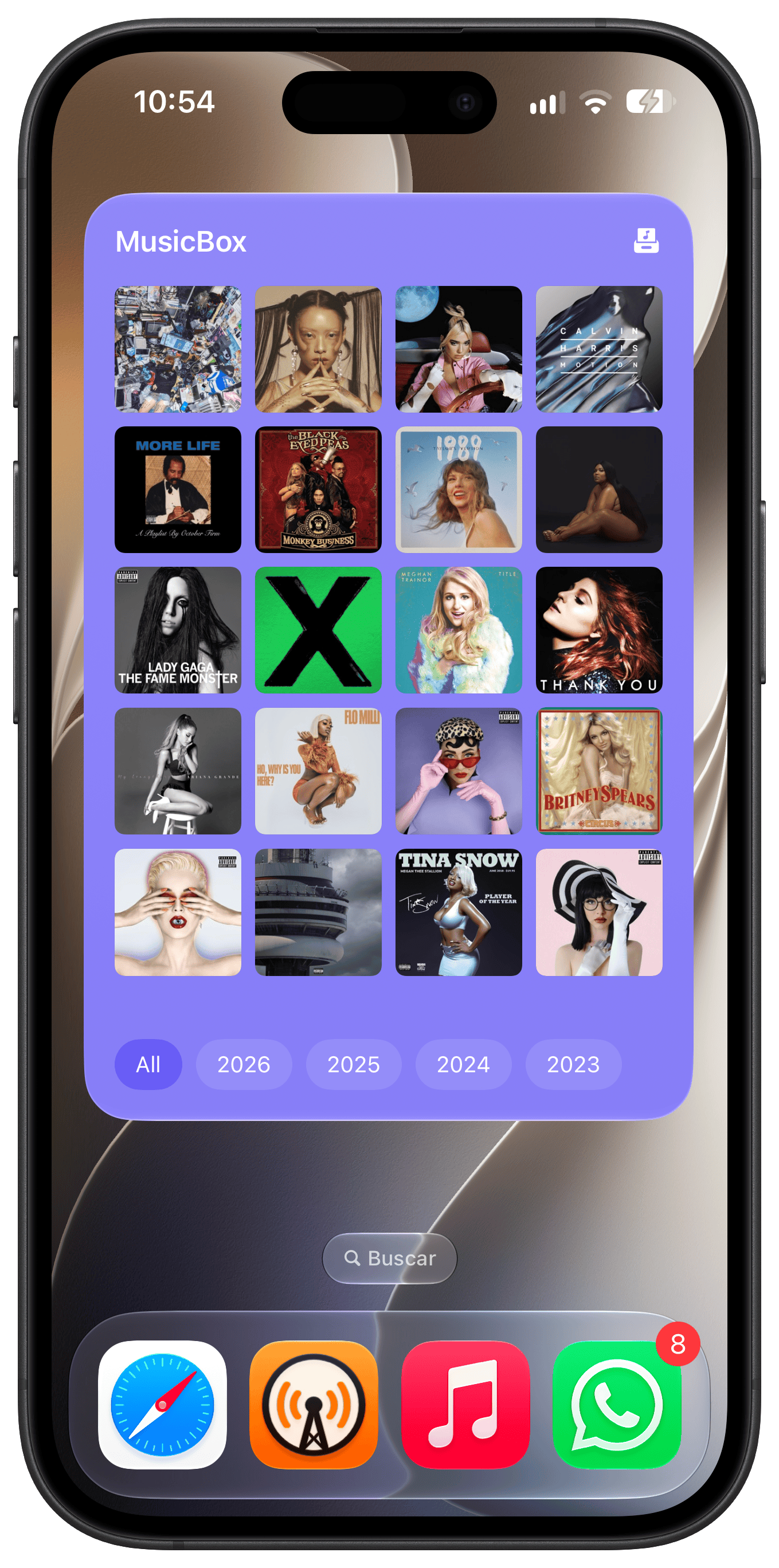
Extra Large Widgets
The new extra large portrait widget now displays up to 20 items, giving users more room to browse and interact with their saved music. Flexible filtering, sorting, and appearance options let them choose what to highlight and how it looks, making it easier to revisit old saves or pick something new from their library.
Visual Intelligence
A record spotted in a shop or a CD recommended by a friend can become a future listen in MusicBox with Visual Intelligence. Users can now quickly scan a physical album’s barcode to add it. It’s a simple way to save discoveries from the physical world and return to them when there’s time to listen.
These updates make it easier to turn everyday discoveries into future listening, helping users keep their music collection organized and find something worth returning to.